Free on Google Play · Android
Know who is on the bus before it leaves.
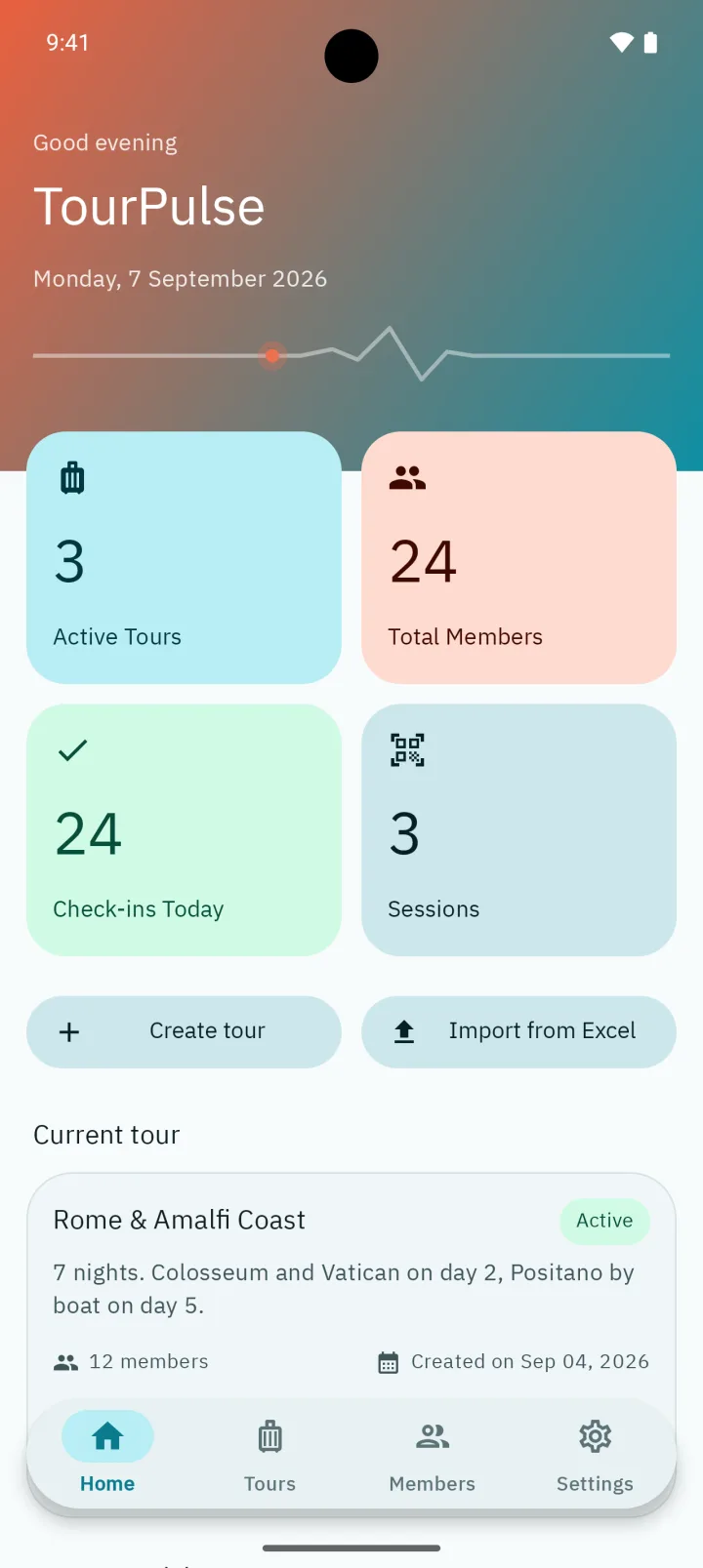
TourPulse checks tour members in by scanning the QR code on their passport ID. It works with no signal and keeps every name and passport number on your phone.
- Works with no signal
- No account, no server
- English, Arabic, French
QR check-in
Point the camera, hear the beep, move on.
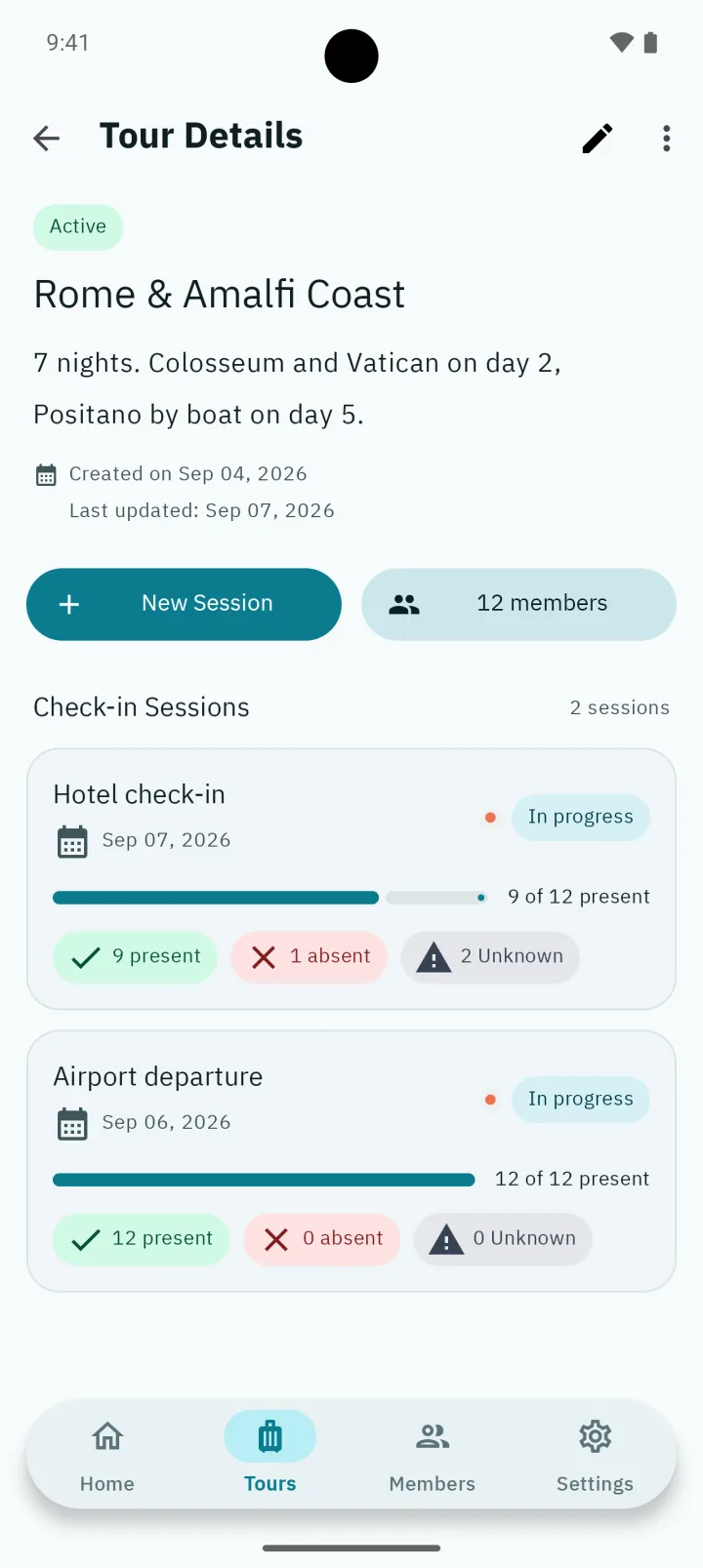
A check-in session is a headcount that keeps itself. Members hold up the QR code on their passport ID; the app finds them, marks them present and shows how many are still missing.
- One session per stop
- Airport departure, hotel check-in, bus boarding: each is its own session with its own count.
- Scan or type
- The camera reads the passport QR code and the app beeps. No code? Type the passport ID instead.
- No double counting
- A member already checked in is refused a second time, so the count stays right.
- Present and absent
- Mark someone absent, see who is still missing, and the 9 of 12 becomes 12 of 12 or you know why not.
Excel import
Your roster is already a spreadsheet. Keep it that way.
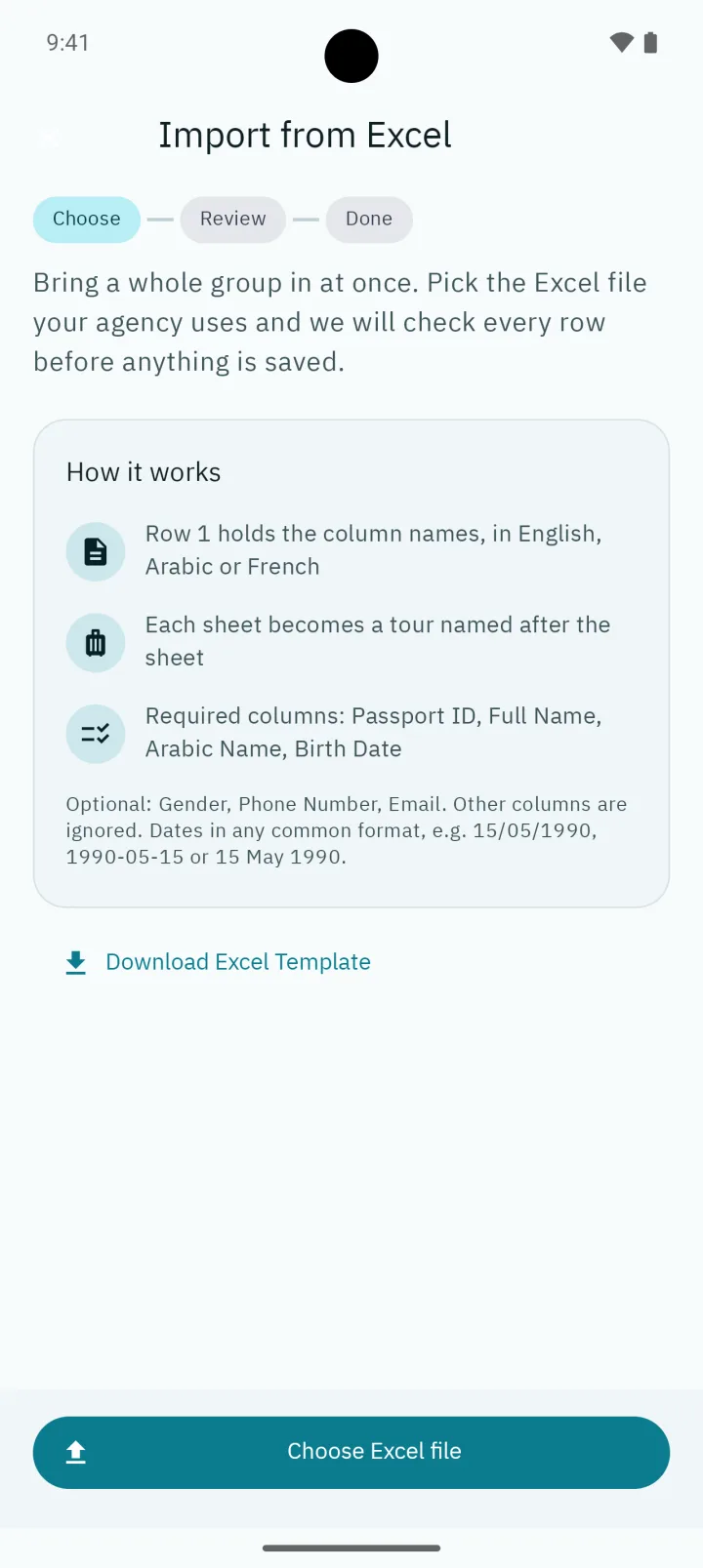
Import .xlsx or .xls files straight from the agency. TourPulse checks every row first and tells you what it will skip, so nothing surprising lands in your member list.
Download the template from the app
One sheet per tour. The sheet name becomes the tour title.
Fill it in the way you already do
Headers can be in English, Arabic or French. Dates like 12/03/1985, 1985-03-12 or 12 mars 1985 are all read correctly, in Latin or Arabic digits.
Review before anything is written
The app shows every row it cannot import and why: a missing passport, a bad date, a duplicate. Existing members are linked, not duplicated.
Import
Valid rows become members of the tour. A tour with the same title is reused instead of created twice.
Tours and members
Everything about a tour in one place.
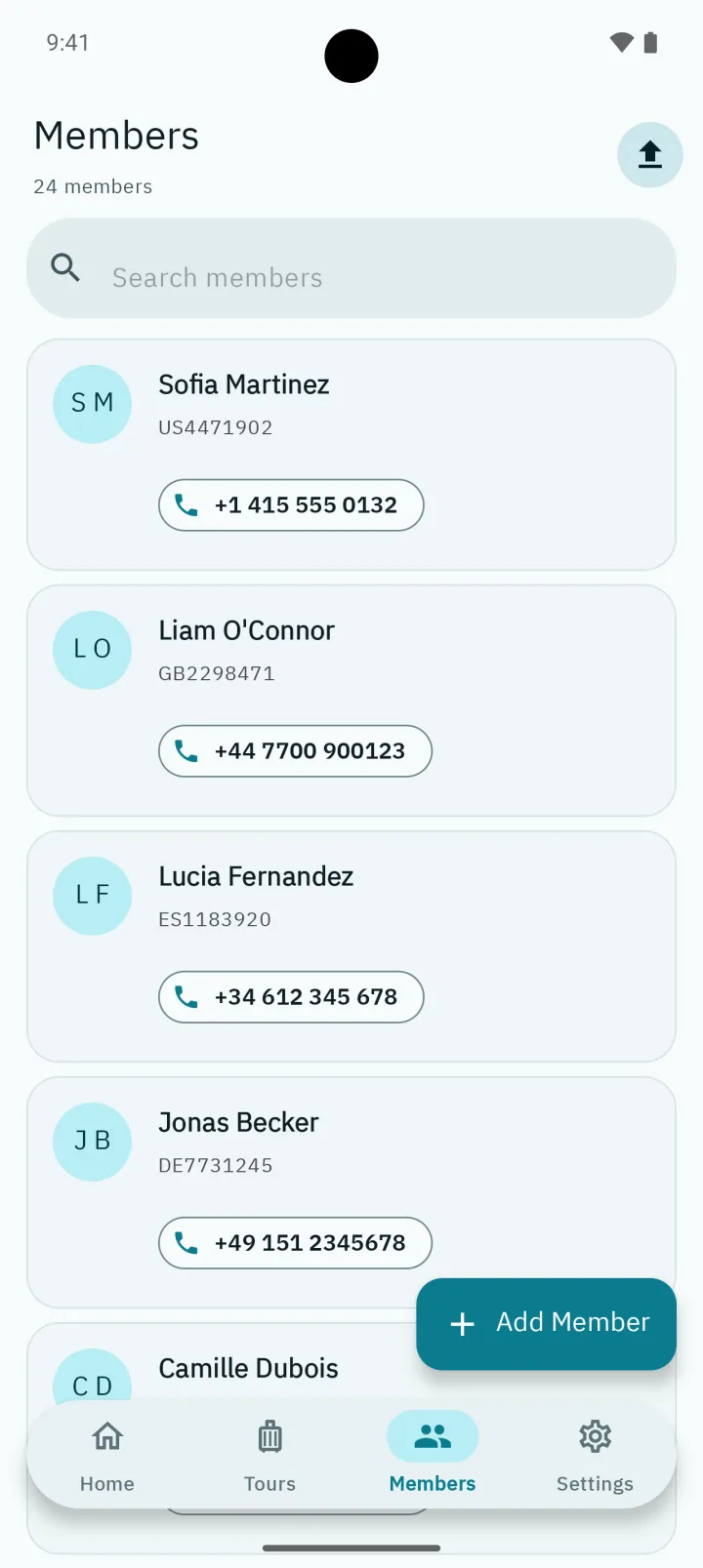
A tour holds its members and its check-in sessions. A member holds what a border, a hotel or an emergency needs: passport ID, name in Latin and Arabic script, birth date, gender, phone and email.
Privacy, plainly
Passport numbers do not belong on someone else's server.
TourPulse has no accounts and no cloud. The member list lives in the app's private storage on your phone, and that is where it stays. Here is the whole picture.
Stays on your phone
- Member names and Arabic names
- Passport IDs, birth dates and gender
- Phone numbers and email addresses you enter
- Tour titles and descriptions
- Check-in sessions and who was present or absent
Sent to Google Firebase
- Crash reports. Stack trace, device model, Android version, app version.
- Anonymous usage events. Which screens open and which features run, tied to a random app instance ID.
Never collected
- Advertising ID
- Location
- Contacts
- Photos or camera frames
- Any member data
The database is a normal app-private file protected by Android's app sandbox; it is not separately encrypted, so use a screen lock. Uninstalling the app deletes it. Full details in the data safety page and the privacy policy.
How it works
Three steps, no setup.
Install it from Google Play and you are on the first screen. There is nothing to sign up for.
Create a tour
A title and a short description. "Rome & Amalfi Coast, 7 nights" is enough.
Add members
Type them in one by one, or import the agency spreadsheet. Passport ID, name, Arabic name and birth date are required; phone and email are optional.
Start a session and scan
Open the tour, add a session for the stop you are at, and scan. Every scan updates the count on the tour and on the home screen.
Questions before installing
What people ask first.
Short, factual answers about how TourPulse works and where your data goes.
Does TourPulse work without an internet connection?
- Yes. Tours, members, Excel import, QR scanning and check-in records all run on the phone itself, so the app works with no signal at all, on a coach, in a basement hotel lobby or at a remote site. The only network use is optional crash and anonymous usage reporting to Firebase.
Which QR code does the app scan?
- The QR code printed on a member’s passport ID card. Its content is the passport number, which the app matches against the members you have added. There is nothing to generate, print or hand out.
What happens if a code will not scan?
- Use manual check-in: type the passport ID and the member is marked present in the same session, with the method recorded as manual.
Which spreadsheet formats can I import?
- Excel files in .xlsx or .xls format. Each sheet becomes one tour named after the sheet. Column headings are recognised in English, Arabic and French, and dates are accepted in the common formats, including day-first, ISO and month names. The app shows every row it cannot import and why before anything is saved, and a template can be downloaded from inside the app.
Where is my members’ data stored, and is it sent anywhere?
- In the app’s private storage on your phone. Names, passport numbers, birth dates, phone numbers and email addresses are never transmitted. There is no account and no server. Firebase receives only crash reports and anonymous usage events. Uninstalling the app deletes everything it stored.
How much does TourPulse cost?
- Nothing. It is free on Google Play with no subscription, no in-app purchases and no advertising.
Which devices does it run on?
- Android phones and tablets running Android 8.0 or later, in portrait or landscape. There is no iOS version.
Which languages does the app support?
- English, Arabic with right-to-left layout, and French. The language can be changed in Settings.
Do my members need to install anything?
- No. Only the guide or tour leader installs the app. Members simply show their passport ID card at each check-in.
Can I manage several tours and check-in points at once?
- Yes. Each tour has its own member list and any number of check-in sessions, for example airport departure, hotel check-in and bus boarding, each with its own present and absent count.
Free, and it stays free.
No subscription, no account, no upload. Install it before the next departure.
Get it on Google PlayVersion 2.0.0 · Android 8.0 or later · English, Arabic, French